
WhatsApp Messenger
WhatsApp LLCCommunication
4.61.95M Reviews
- Version
- 2.26.41.77
- Installs
- 10.00B
- Age Rating
- Everyone
Screenshots
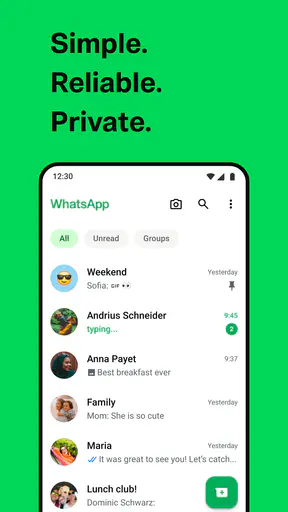
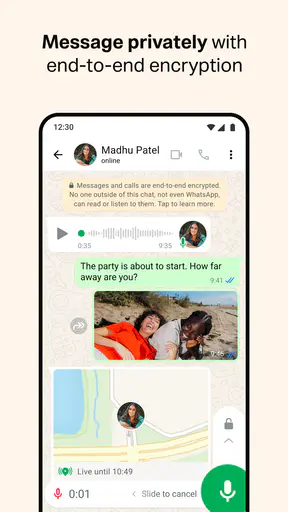

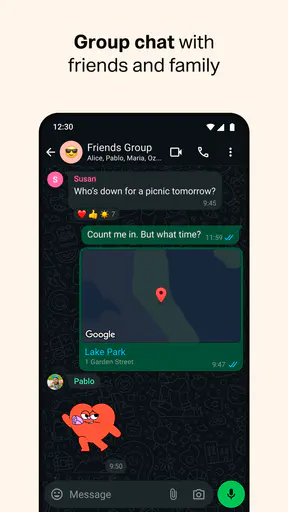
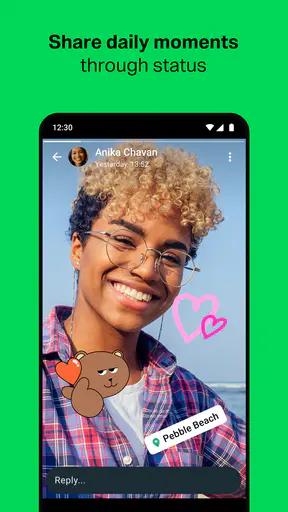


Our Review of WhatsApp Messenger
 Analysis by Appyee
Ever found yourself in the middle of planning a gathering with friends and wished there was a simpler way to keep everyone in the loop? Let me tell you, WhatsApp Messenger is like your digital Swiss Army knife for staying connected. I’ve been using it for ages, and it’s kind of a lifesaver.
Choosing a chat app that people will actually use
When I decide whether a communication app belongs on my phone, I start with a practical question: who am I trying to reach? A feature-rich service is not much help if the people I need to contact are somewhere else. That is the central reason WhatsApp works so well for everyday life: it is familiar to a huge range of friends, relatives, and community groups, so a conversation can often begin without persuading everyone to adopt a new routine.
WhatsApp is a free communication app from WhatsApp LLC. It has been around since October 18, 2010, and its scale is striking: more than 10 billion installs and an average rating of 4.7 from around 236 million ratings. Those figures do not tell me whether every call will be clear or every group will be pleasant, but they do help explain why it is often the default place to reach people. It is rated for Everyone, and the app itself is free to download and use, though in-app purchases are listed from about $0.40 to $199.99 per item.
For me, the useful decision is less about chasing the app with the longest feature list and more about matching the tool to the conversation. WhatsApp is strongest when people need to exchange messages, pictures, voice notes, or calls without much setup. If I were choosing for a workplace with strict administrative controls, a community that relies on public channels, or a group that refuses to share phone numbers, I would weigh other services more carefully.
Stay Connected Effortlessly
The first thing you'll notice about WhatsApp Messenger is how intuitive it is. Setting up an account is as easy as pie—just download the app, verify your phone number, and boom, you're good to go. I remember the first time I set it up; it was like magic seeing all my contacts already there, ready to chat.
That phone-number-based setup is convenient when my address book already contains the people I want to reach, but it also shapes who can find me and how I manage contact details. I think of it as a useful trade-off: fewer hoops before sending a message, but less separation between my messaging identity and my phone contacts than I might want for every situation. If that distinction matters to you, check the privacy and account settings before inviting a large group or using it for work.
And let’s talk about the messaging. Whether it’s sending a quick text or sharing a photo of your pet doing something ridiculous, the app handles it all seamlessly. The messages are encrypted, so you can gossip freely, knowing your secrets are safe. I mean, who doesn’t love a little privacy?
Privacy is a reason I’m comfortable using it for ordinary personal conversations, but I still treat security as a set of habits rather than a magic shield. I avoid sending highly sensitive information casually, keep my phone protected, and pause before opening unexpected links or files, even when they arrive in a familiar chat. A message can be private in transit and still be seen by someone who has access to an unlocked device or a recipient’s screen.
Beyond Texting: Voice and Video Calls
Now, I’m a big fan of face-to-face conversations, and WhatsApp makes it super easy with its voice and video call features. The quality is top-notch, even when you're chatting with someone on the other side of the world. It’s like you’re sitting across the table, minus the coffee spill.
In everyday use, calls are especially handy when typing would take longer than talking: checking a detail with a relative, coordinating a pickup, or letting a friend show me something rather than trying to describe it. I still judge a call by the connection and surroundings, not by the app alone. If I’m on a weak connection or somewhere noisy, a short voice message or a text can be more dependable and less awkward than struggling through a live conversation.
One of my favorite hacks is using WhatsApp for group calls. It’s perfect for catching up with family or having a virtual hangout with friends. No more "Can you hear me now?" moments, just smooth talking all the way.
Group calls are most useful when the participants already know one another and the aim is informal conversation. For a planned meeting where people need an agenda, shared documents, or formal host controls, I would choose a dedicated meeting tool instead. That is not a knock against WhatsApp; it is simply a reminder that a casual call and a structured work meeting have different needs.
Groups, Broadcasts, and More
Speaking of groups, WhatsApp lets you create groups for just about anything. I’ve got one for my book club, another for family updates, and even one for sharing memes with my college buddies. You can mute them too, which is a blessing when the notifications start buzzing like a swarm of bees.
Groups can save time, but they can also turn into noisy streams where useful details disappear beneath jokes and quick reactions. My practical approach is to give each group a clear purpose and mute the ones that do not need an immediate response. For a one-day plan, I keep the important details easy to find in the conversation; for an ongoing club or family group, I avoid assuming everyone has read every message. A brief, direct follow-up is often kinder than blaming someone for missing a busy chat.
A realistic example: I might use a family group to agree on a weekend meal, send the address, and share a photo of the dish everyone should bring. If the plan changes while I’m travelling, I can update the group without calling each person. But for a sensitive one-to-one issue, I would move out of the group rather than risk turning a private exchange into a public discussion among relatives.
Don’t even get me started on broadcasts. If you need to send the same message to a bunch of people without them knowing who else got it, broadcasts are your best friend. It’s like sending a personal note to each person, minus the writer’s cramp.
Broadcasts suit announcements that should feel individual rather than like a group conversation. They are not a substitute for a public channel or a discussion space: recipients cannot build a shared thread with one another in the same way they can in a group. I use the distinction deliberately. If people need to coordinate, I choose a group; if I simply need to pass along the same brief update to several contacts, a broadcast is less cluttered.
Customization and Fun Features
Personalization on WhatsApp is a breeze. From changing chat backgrounds to using stickers and GIFs, there’s plenty of room to make your chats reflect your mood. I love sending a good morning sticker to my group chat—it’s a small thing, but it makes everyone smile.
Those expressive touches are enjoyable, but I try not to let them get in the way of clarity. In a chat where timing or instructions matter, a plain sentence is easier to understand than a chain of stickers or reactions. That is a small but useful habit when coordinating with people who have different senses of humor, or when a message might be read quickly without the surrounding context.
And let’s not forget the status feature. It’s a fun way to share what you’re up to without spamming everyone with messages. I use it to post quick snapshots of my day, and it’s always fun to see what everyone else is doing.
Status works best for casual updates that do not need a direct answer. Before posting, I think about whether the audience is right for the moment and whether I would be comfortable with the update being seen by the people included in my sharing choices. For something that needs a response, I send a message instead; that makes the purpose clear and avoids expecting friends to notice a passing post.
When another kind of app may suit you better
WhatsApp is a natural fit when my contacts already use it and I want one place for personal chats, groups, and calls. Compared with SMS, it gives me a richer way to exchange media and keep a conversation together, while SMS can be the simpler fallback when someone does not use the app. Compared with social-network messaging, WhatsApp feels more focused on direct contact rather than browsing a public feed, which is a plus when I want a private conversation and a drawback if I want to discover or follow public creators.
Other messaging services may be a better match if your priority is a different kind of community. A platform organized around public servers or topic channels can make large interest groups easier to browse than a stream of group chats. A work-focused collaboration service can be more appropriate when a team needs clear separation between projects and personal life. And if your main goal is scheduled meetings with formal controls, a video-conferencing app is likely a better primary tool than a messenger.
I would also hesitate to choose WhatsApp as the only route to reach people who do not want to connect their messaging to a phone number or who are not comfortable joining another chat group. In those cases, email, a call, or an alternative service the group already uses may be more considerate. The best app is often the one that does not make other people overcome a barrier just to reply.
What switching really involves
Moving to WhatsApp is easy when the people I care about already use it, but changing a whole group’s habits takes more effort than installing an app. Before switching a club or family conversation, I would check that everyone is willing to join, explain what the group is for, and keep another contact route available while people get settled. Otherwise, an app change can accidentally leave someone out of plans they used to receive.
Leaving WhatsApp for another service has a similar social cost. Friends may keep sending messages to the old chat, and a group can split across several places if only some members move. I would choose one main channel for time-sensitive plans and tell people plainly where to find me. For casual contacts, it may be easier to keep WhatsApp available even if I use another app for work or a special interest group.
There is also a practical difference between replacing a messenger and adding one. If I only want a tool for a specific project, I can keep that project’s conversations separate rather than moving all my personal contacts. That reduces clutter and avoids asking relatives or friends to change the way they reach me for no clear benefit.
Final Thoughts
All in all, WhatsApp Messenger is a must-have app for anyone who loves staying connected. It’s packed with features that make communication easy and fun, and its security features give you peace of mind. Whether you’re chatting with a friend or organizing a group hangout, WhatsApp has got you covered. Seriously, give it a shot—it might just become your new favorite app.
My recommendation is strongest for someone who wants a familiar, flexible way to keep up with friends and family, and whose contacts are already there. I would not make it my sole solution for formal team coordination, public community discovery, or conversations with people who prefer not to use phone-number-based messaging. For most casual communication, though, its combination of chats, calls, groups, broadcasts, and status makes it easy to reach for without planning a complicated workflow.
If you are trying it for the first time, start with one-to-one chats and a small group rather than moving every conversation at once. Mute groups that do not need your attention, use broadcasts only for one-way updates, and choose a call when speaking will be clearer than typing. Those small choices make the app feel less like a constant stream of notifications and more like a useful tool I can check on my own terms.
Privacy and Permissions
See what permissions an app requests and how it handles your data.
- Device & app history
- retrieve running apps
- Identity
- find accounts on the device, add or remove accounts, read your own contact card
- Contacts
- find accounts on the device, read your contacts, modify your contacts
- Location
- approximate location (network-based), precise location (GPS and network-based)
- SMS
- receive text messages (SMS), send SMS messages
- Phone
- directly call phone numbers, read call log, read phone status and identity
- Photos/Media/Files
- read the contents of your USB storage, modify or delete the contents of your USB storage
- Storage
- read the contents of your USB storage, modify or delete the contents of your USB storage
- Camera
- take pictures and videos
- Microphone
- record audio
- Wi-Fi connection information
- view Wi-Fi connections
- Device ID & call information
- read phone status and identity
- Other
- view network connections, create accounts and set passwords, pair with Bluetooth devices, send sticky broadcast, change network connectivity, connect and disconnect from Wi-Fi, full network access, change your audio settings, control Near Field Communication, read sync settings, run at startup, draw over other apps, use accounts on the device, control vibration, prevent device from sleeping, toggle sync on and off, install shortcuts, uninstall shortcuts, read Google service configuration
How WhatsApp Messenger Compares
Full ComparisonGoogle Messages suits Android-first texting, WhatsApp fits people who want private chats with a broad audience, and Telegram appeals to users who value customization and large file sharing.
| App | Developer | Rating | Price |
|---|---|---|---|
 Google Messages | Google LLC | 4.6 | Free |
 WhatsApp MessengerThis App | WhatsApp LLC | 4.6 | Free |
 Telegram | Telegram FZ-LLC | 3.8 | Free |
Verdict
Strengths of WhatsApp Messenger
- User-friendly interface with intuitive design.
- End-to-end encryption ensures privacy.
- Supports multimedia sharing effortlessly.
- Wide availability across devices.
- Free to use with no hidden costs.
Limitations of WhatsApp Messenger
- Requires internet connection for messaging.
- Limited customization options for themes.
- Group chat size may be restrictive.
- Video call quality can vary.
- No built-in schedule messaging feature.
Other Releases by WhatsApp LLC
View All
WhatsApp Business
Communication4.6
Similar Picks in This Category
View All
Google Messages
Google LLC4.6

Gmail
Google LLC4.1

Google Meet
Google LLC4.4

Google Chrome
Google LLC4.1

Carrier Services
Google LLC4.2

Contacts
Google LLC4.3
You May Also Like
View All


Frequently Asked Questions
What features does WhatsApp Messenger offer?
WhatsApp Messenger provides users with a wide range of features including text messaging, voice and video calls, group chats, multimedia sharing (photos, videos, and documents), and end-to-end encryption for enhanced security. It also offers a Status feature similar to stories, where users can post updates visible for 24 hours.
Is WhatsApp Messenger free to use?
Yes, WhatsApp Messenger is free to download and use. While the app itself doesn't charge for messaging and calling, it does require an internet connection. Therefore, users might incur data charges from their mobile provider, especially if not connected to Wi-Fi.
How does WhatsApp ensure privacy and security?
WhatsApp uses end-to-end encryption to ensure that only the communicating users can read the messages or listen to the calls. This means that even WhatsApp itself cannot access the content. Additionally, users can set up two-step verification for an extra layer of security.
Can I use WhatsApp on multiple devices?
WhatsApp primarily operates on a single mobile device, but users can access their accounts on a computer through WhatsApp Web. For this, a mobile device must remain connected to the internet. Multi-device support is gradually being rolled out, allowing use without a constant phone connection.
What are the limitations of using WhatsApp Messenger?
While WhatsApp offers numerous features, it has some limitations. It does not support calling emergency numbers, and the app relies on internet connectivity for all communications. Users also need to be aware of potential data charges if not using Wi-Fi and the need for regular updates to access new features and security patches.
